
In our previous article, we mastered the backend, thoroughly exploring how Database Management Systems (DBMS) structure and secure massive datasets. Now that we understand hardware, networks, and databases, we must address the final major segment of the UPSC ISS syllabus: Basics of Programming.
Many statistics aspirants panic when they see “programming” in the syllabus. Let me reassure you right now: The UPSC ISS exam does not ask you to write code. You are not expected to be a software developer. The commission only tests your theoretical awareness of the structural logic behind programming. They want to know if you understand how a problem is approached, how code is translated for the machine, and how errors are fixed.
Today, we draw our core concepts directly from standard reference books- specifically Chapter 8 of “Computer Fundamentals and Programming in C” by Reema Thareja and Chapter 10 of “Fundamentals of Computers” by E. Balagurusamy,. Let us systematically break down the theoretical foundations of programming.
Designing the Solution: Algorithms and Complexity
Before a single line of code is written, a software developer must logically plan out the solution. A computer does not possess common sense; it relies on strict, step-by-step instructions to solve a problem.
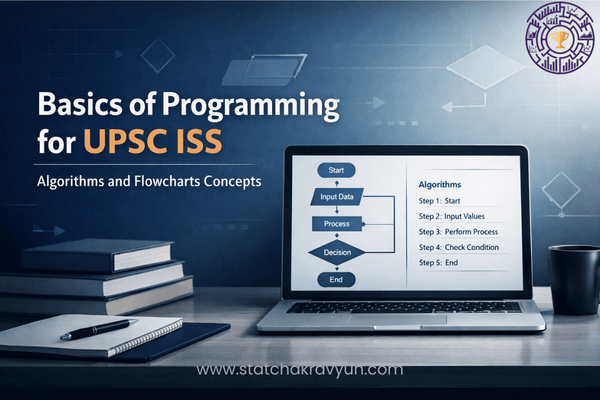
An Algorithm is defined as a finite set of sequential steps designed to solve a specific problem. When multiple algorithms exist to solve the same problem, computer scientists evaluate them based on two highly tested metrics:
- Time Complexity: The amount of time an algorithm takes to complete its task.
- Space Complexity: This is a direct UPSC favourite. Space complexity specifies the exact amount of memory space required by an algorithm to perform the desired task,,. The algorithm that requires less memory and less time is always considered superior.
Visualizing the Logic: Flowcharts
While algorithms represent logic in text, reading through hundreds of text steps can be confusing. To solve this, programmers use a visual tool called a Flowchart.
A flowchart is the diagrammatic representation of the logic for solving a task,. It visually describes the sequence and flow of control using standard geometric symbols. You must be aware of the standard shapes used:
- Oval / Rounded Rectangle: Represents the Start and End points of the program,.
- Parallelogram: Represents an Input or Output operation.
- Rectangle: Represents an Action or Process (where the actual calculations happen),.
- Diamond (Rhombus): Represents a Decision or Condition. This is where the program asks a question (e.g., “Is X > Y?”), and the flow splits based on a True or False result.
Translating the Logic: Compilers and Interpreters
Once the logic is mapped out via a flowchart, it is written into a High-Level Language (like C, C++, or Java). However, the computer’s processor only understands Machine Language (binary 0s and 1s). Therefore, we must use Language Translators to bridge this gap.
UPSC expects you to know the functional differences between these three translators:
- Compiler: A compiler translates the entire high-level language program (source code) into machine-level instructions (object code) all at once, before execution begins,.
- Interpreter: An interpreter also translates high-level language into machine code, but it does so line-by-line. It translates and executes one instruction immediately before moving to the next,.
- Assembler: A specialized translator that converts low-level Assembly Language (which uses mnemonic codes) into machine language.
The Role of the Linker
Modern software programs are massive and are usually divided into several smaller modules. When a compiler translates these modules, it generates separate object files.
This is where the Linker steps in. A linker is a system development module that combines all these separate object files, along with necessary library files, into a single, cohesive executable program,,. Without a linker, the computer would not know how to connect the different parts of the software together.
Fixing the Errors: Debugging and Breakpoints
No software is perfect on the first try. Errors in computer programming are known as “bugs.” The specialized software used to detect and eliminate these errors is called a Debugger.
The professional debugging process strictly follows four specific stages:
- Replication of a bug: Consistently reproducing the error.
- Understanding the bug: Analyzing why the error occurs.
- Testing the bug: Checking conditions that trigger the error.
- Fixing the bug: Modifying the code to eliminate the error.
Breakpoints: While debugging a massive program with thousands of lines of code, finding the exact location of a bug is difficult. To solve this, developers use Breakpoints. A breakpoint’s primary purpose is to mark a specific point in the code where the execution should pause automatically,. This allows the programmer to carefully inspect the variables and logic at that exact moment to identify the flaw.
Professional Analysis of UPSC ISS Previous Year Questions (PYQs)
Let us apply our theoretical foundation to 6 official UPSC ISS PYQs to see exactly how the commission frames these concepts.
Q. Which of the following terms specifies the amount of memory required by an algorithm for performing the desired task?
(a) Time complexity (b) Space complexity (c) Hybrid complexity (d) Processing complexity
Professional Analysis: As established in algorithmic design principles, while time complexity measures the duration of execution, the specific term used to define the amount of memory space an algorithm consumes is Space Complexity.
Correct Answer: (b) Space complexity.
Q. What is the main purpose of the linker in the compilation process of the programming languages? (a) To perform optimization of compiled code (b) To translate source code into machine code (c) To check syntax of the program (d) To combine object files and libraries into an executable program
Professional Analysis: Translation is done by compilers/interpreters. The Linker’s exclusive job is to take the various object codes and library references generated during translation and assemble them into one single executable file.
Correct Answer: (d) To combine object files and libraries into an executable program.
Q. Which one of the following statements best describes the use of flowcharts in problem solving?
(a) Flowcharts are used to visualize data structure. (b) Flowcharts are used to create graphical user interface. (c) Flowcharts consist of short, readable and formally-styled English language statements. (d) Flowcharts are diagrammatic representations of the logic for solving a task.
Professional Analysis: Statement (c) defines Pseudocode, not a flowchart. A flowchart strictly utilizes geometric shapes to create a visual, diagrammatic representation of the step-by-step logic required to solve a problem.
Correct Answer: (d) Flowcharts are diagrammatic representations of the logic for solving a task.
Q. What is the purpose of using breakpoints in debugging?
(a) To mark a point in the code where execution should pause for inspection. (b) To measure the time elapsed to run a block of code. (c) To skip a block of code during execution. (d) To identify memory leaks in the program.
Professional Analysis: In the debugging environment, a breakpoint acts as an intentional stopping or pausing marker. It halts the execution at a predefined line so the developer can inspect the current state of the software.
Correct Answer: (a) To mark a point in the code where execution should pause for inspection.
Q. Consider the following statements:
I. Both compiler and interpreter can translate the program written in high-level language into machine-level instructions.
II. The interpreter translates the whole program into machine language program before executing any of the instructions.
Which of the statements given above is/are correct?
(a) I only (b) II only (c) Both I and II (d) Neither I nor II
Professional Analysis: Statement I is factually correct as both are indeed language translators,. Statement II is incorrect because an interpreter translates the code line-by-line during execution. It is the compiler that translates the whole program before execution begins.
Correct Answer: (a) I only.
Q. Consider the following fragments:
1. Replication of a bug
2. Understanding the bug
3. Testing the bug
4. Fixing the bug
Which of the above are parts of debugging process?
(a) 1, 2 and 4 only (b) 1 and 2 only (c) 1, 2, 3 and 4 (d) None of the above
Professional Analysis: Standard software engineering defines the debugging lifecycle through these four exact, sequential stages. A programmer must replicate the issue, analyze it to understand the cause, test the parameters, and apply the final fix.
Correct Answer: (c) 1, 2, 3 and 4.
What Lies Ahead?
In this tenth article of our Computer Series for UPSC ISS, we successfully demystified the theoretical foundations of programming. You now have a clear, professional understanding of Space Complexity, the visual logic of Flowcharts, the operational differences between Compilers and Interpreters, and the exact stages of the Debugging process.
We now know how to plan a program and how to translate it. But what are the actual internal structures that govern the flow of data inside the code? How does a program know when to make a decision or when to repeat a calculation?
In Part 11, we will dive into Programming Foundations II: Control Structures, Loops, and Logic. We will systematically decode high-yield exam concepts such as conditional statements (If-Then-Else), iterative loops (For, While, Do-While), and data organization structures (Arrays). Ensure you revise today’s terminology thoroughly, and get ready to master the core structures of software logic in our next article!
(Have a specific doubt about Space Complexity, the visual logic of Flowcharts, or the exact difference between a Compiler and an Interpreter? Drop it in the comments below!)
[…] our previous article, we explored the preliminary stages of software development, focusing on how algorithms and […]