
Welcome back, future Indian Statistical Service (ISS) officers!
In our previous article, we decoded the software ecosystem, distinguishing between application packages that users interact with and the system software that manages the background tasks. We established that the most sophisticated hardware is essentially lifeless without system software to govern its operations. The absolute core of this system software, the master manager of the entire computer, is the Operating System (OS).
In the UPSC ISS Paper I, the Operating System and its internal mechanisms, specifically CPU scheduling algorithms, are high-yield topics. The commission frequently tests candidates on the functional distinctions between different OS types (like Real-Time vs. Time-Sharing), the open-source nature of Linux, and how the CPU allocates time to different processes.
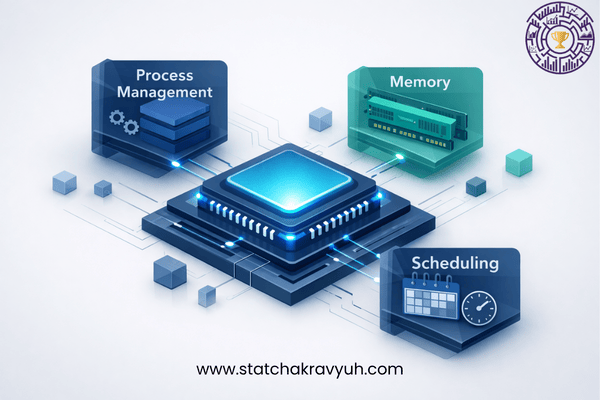
Today, we will conduct a professional deep dive into Operating Systems, exploring how they manage memory, handle multiple tasks, and schedule processes, ensuring you are fully equipped for the examination.
The Core Manager: What is an Operating System?
An Operating System (OS) is the primary system software that acts as an interface between the computer hardware and the user. Without an operating system, a user cannot run an application program on their computer. The OS creates a functional environment where applications can be executed efficiently.
To understand how UPSC frames questions around the OS, a professional must understand its primary functions:
- Process Management: The OS is responsible for creating, scheduling, and terminating processes. A process is simply a program in execution.
- Memory Management: The OS allocates and deallocates memory space to programs in need of these resources. It utilizes techniques like Paging (organizing the main memory into equal-sized blocks called pages) and Swapping (moving blocks of data between the main memory and the hard disk to ensure efficient space management).
- File and Directory Management: The OS manages how data is stored, organized, and retrieved. It handles file attributes and access permissions (Read, Write, Execute).
- Device and Security Management: It manages input/output devices and ensures data security from unauthorized access.
Classification of Operating Systems
UPSC frequently tests candidates on the specific definitions and real-world applications of different operating systems. You must be able to differentiate between the following major types:
A. Batch Processing Operating System
In a batch processing system, jobs with similar needs are batched together and executed as a group. The user does not interact with the computer directly while the batch is being processed. It is highly efficient for large, repetitive tasks like payroll generation.
B. Time-Sharing and Multitasking Operating System
A multitasking OS allows multiple programs to run simultaneously sharing the computer’s resources. A time-sharing system is a logical extension of multitasking, where multiple users interact with the system simultaneously, and the CPU switches between them so rapidly that each user feels they have dedicated access to the computer.
C. Real-Time Operating System (RTOS)
This is a highly tested concept. A Real-Time Operating System is designed to respond to an event within a strictly predetermined time. RTOS is utilized in environments where a delayed response could cause system failure or severe consequences.
- Practical Example: The software running inside an Automated Teller Machine (ATM) or an aircraft flight control system operates on an RTOS because data must be fetched and processed in real-time.
D. Multi-User and Multiprocessor Systems
A multi-user OS allows multiple users to access a single system with one OS on it. A multiprocessor OS utilizes more than one physical CPU to execute multiple processes simultaneously, heavily increasing the computing speed and throughput.
Linux and UNIX: The Open-Source Giants
When it comes to specific operating systems, UPSC has a clear preference for testing your knowledge on Linux and UNIX.
- Linux: Unlike Microsoft Windows or Apple iOS, which are licensed versions requiring payment, Linux is an open-source operating system. This means its source code is freely available for anyone to use, modify, and distribute. Furthermore, Linux is technically classified as a multi-user, multi-processing, and multi-processor operating system.
- UNIX: UNIX is a powerful, multi-user OS that heavily utilizes a hierarchical directory structure. From an exam perspective, it is vital to know that the core component of the UNIX operating system that interacts directly with the hardware is called the Kernel.
CPU Scheduling Algorithms (High-Yield Concept)
Process scheduling is the task performed by the operating system to decide the exact order in which processes in the ready queue are allocated to the CPU for execution. The component responsible for this is the Process Scheduler.
The UPSC consistently tests the definitions of the following scheduling algorithms:
- First Come First Serve (FCFS): This is the simplest scheduling algorithm. The process that requests the CPU first is allocated the CPU first.
- Shortest Job First (SJF): In this algorithm, the process with the shortest execution time is selected for execution next.
- Priority Scheduling: The OS assigns a priority rank to each process. The CPU is allocated to the process with the highest priority first.
- Round Robin (RR) Scheduling: This is a highly tested, preemptive algorithm. In Round Robin scheduling, the process is allocated to the CPU for a specific, fixed time period or “time slice” (also known as a time quantum). If the process does not finish within this specific time slice, it is paused, moved to the back of the queue, and the CPU is allocated to the next process. This ensures every process gets a fair share of the CPU.
Professional Analysis of UPSC ISS Previous Year Questions (PYQs)
To solidify your preparation and understand the exact pattern of the examination, let us professionally analyze 6 official UPSC ISS PYQs related to Operating Systems and CPU Scheduling.
Q. In which type of scheduling is the process allocated to CPU for a specific time period or time slice? (a) FCFS (b) Shortest Job First (c) Priority (d) Round Robin
Professional Analysis: As defined in standard process scheduling algorithms, the Round Robin (RR) algorithm is uniquely designed to allocate the CPU to each process for a strictly fixed time unit known as a time slice or quantum.
Correct Answer: (d) Round Robin
Q. Which one of the following Operating Systems responds to an event within a predetermined time? (a) Time Sharing Operating System (b) Embedded Operating System (c) Real-time Operating System (d) Batch Operating System
Professional Analysis: Systems that have strict timing constraints and must process data and respond to inputs within a predetermined, guaranteed timeframe are classified as Real-Time Operating Systems (RTOS).
Correct Answer: (c) Real-time Operating System
Q. Which of the following Operating Systems is an open source?
(a) Windows 10 (b) iOS 16 (c) Linux (d) MS-DOS
Professional Analysis: Windows, iOS, and MS-DOS are proprietary, licensed operating systems developed by Microsoft and Apple. Linux is globally recognized as the standard open-source operating system whose source code is freely available for modification.
Correct Answer: (c) Linux
Q. Which one of the following is not a real-time operating system?
(a) MTOS (b) LINUX (c) Lynx (d) RTX
Professional Analysis: MTOS, Lynx (LynxOS), and RTX are specifically engineered as Real-Time Operating Systems for critical hardware functions. Standard Linux is a general-purpose, time-sharing operating system, not a strict real-time operating system (though specific RT-patches exist, standard Linux is not RTOS).
Correct Answer: (b) LINUX
Q. Which one of the following is the core component of UNIX?
(a) Shell (b) Kernel (c) Process (d) Directories
Professional Analysis: In the UNIX operating system architecture, the core component that manages memory, processes, and hardware interactions is the Kernel. The Shell acts merely as the outer interface that interprets user commands.
Correct Answer: (b) Kernel
Q. An operating system is crucial for the operation of a computer system because it:
1. controls the hardware of the computer.
2. runs the antivirus software.
3. manages files and directories.
4. allows Google search.
Which of the above are the most crucial functions of an operating system?
(a) 1 and 2 only (b) 2 and 4 only (c) 1 and 3 only (d) 1, 2 and 3
Professional Analysis: The fundamental purposes of an OS are to act as a manager that controls the hardware (1) and manages internal files, memory, and directories (3). Running an antivirus is a utility function, and allowing a Google search is an application (Web Browser) function, neither of which defines the crucial, foundational role of an OS.
Correct Answer: (c) 1 and 3 only
What Lies Ahead?
In this fifth installment of our Computer Series for UPSC ISS, we successfully mastered the system software that governs the entire machine. You now have a clear, professional understanding of OS classifications, the open-source nature of Linux, and how the CPU maintains efficiency using algorithms like Round Robin and FCFS.
Until now, we have discussed the hardware components, input/output peripherals, and the software ecosystem that manages them. However, when the OS allocates a process to the CPU, how does the CPU actually perform the mathematical calculations? How does the computer represent the data internally?
In Part 6, we will shift gears into the highly scoring numerical portion of the syllabus: Demystifying Number Systems and Conversions. We will learn how to flawlessly convert Decimal, Binary, Octal, and Hexadecimal numbers, and explore the powerful “Elimination Technique” that will help you solve these mathematical PYQs in seconds. Ensure you revise your notes on Operating Systems, and get ready for the math of computing!
(Have a specific doubt about CPU Scheduling algorithms like Round Robin and FCFS, or the open-source features of Linux? Drop it in the comments below!)
[…] Part 5, we will conduct a deep dive into Operating Systems & CPU Scheduling. We will explore crucial […]
[…] our previous article, we navigated the invisible intelligence of the computer system: The Operating System (OS). We […]